
If you have a monotonous task of clicking the same buttons on the same windows over and over, you may find that Ghost Control from N.R.S. a great asset to help you avoid making mistakes or even getting carpal tunnel syndrome. What it does is remember your keystrokes and mouse clicks so that you can play them back whenever you like. This way, you record the task once and then you can play back the recording, letting Ghost Control perform your monotonous task while you do something more engaging.
In many ways Ghost Control is a macro system for Windows. If you've used macros in programs such as Word and Excel, you're already familiar with the concept—you record a series of actions that can later be played back (repeated) on demand. Ghost Control takes this concept a step further in that it allows you to easily record mouse movements and mouse actions, which cannot be done in Word or Excel macros. This makes Ghost Control very powerful, indeed.
Ghost Control is not free, but you can download a trial version:
http://www.ghost-control.com/download.html
The trial puts a 30-second limit on the length of your recording. If you try it and find it useful, you may decide that the $34.90 required to purchase the software would be worth it to not have to perform your monotonous tasks.
When you launch Ghost Control a dialog box dominated by huge icons appears. (See Figure 1.)
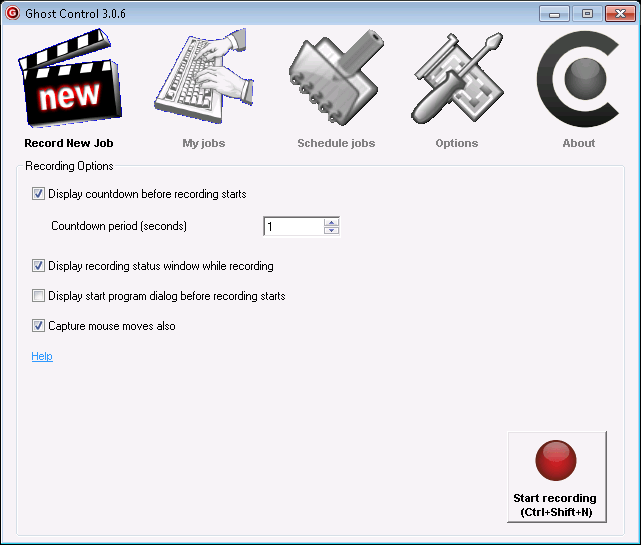
Figure 1. Ghost Control's main screen.
Click the Start Recording button in the lower-right corner to create a new job. The program displays a status window in the upper-right corner of the screen and starts recording your keystrokes and mouse movements after a short "countdown period" expires. When you're done recording, click the Stop button in the status window. (See Figure 2.)
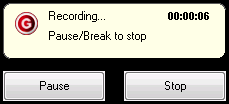
Figure 2. Ghost Control's status window.
When you click Stop you are presented with the Save Job As dialog box, which is how you name and save your recording. (See Figure 3.)
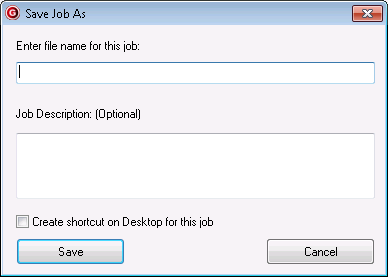
Figure 3. Saving a recording.
Now whenever you have this task to do, you can click My Jobs on the main screen, choose your previously recorded job, and click Run. Ghost Control takes over the mouse and keyboard and replicates your movements over and over until you tell it to stop (or until it executes the number of times you specified).
 This tip (13123) applies to Windows 7.
Would you like to have one place to go in order to see what all programs are starting when your system starts or when you ...
Discover MoreTalking to your computer can save you time and help get you the information you need faster. With the proper setup you ...
Discover MoreIs your system running a bit flakey at times? If you think the culprit might be a problem with some of your system files, ...
Discover More2020-05-18 10:09:01
Henry Noble
The site triggers a warning and a 'very poor' rating from Web of Trust (WOT).
2020-05-18 09:56:13
David Vaught
Just a heads-up, Barry. MalwareBytes blocks access to the Ghost Control website link posted above due to Trojan detection.
2020-05-18 08:04:22
Judy
Link leads to a site containing a Trojan according to Malwarebytes.
2020-05-18 06:18:12
Jim
Barry,
When I clicked on the hyperlink for NRS I was alerted of a trojan.
Jim
Copyright © 2026 Sharon Parq Associates, Inc.

Comments